
Introduction#
Our Security Operations Center (SOC) detected suspicious activity originating from an internal employee workstation. The employee — a finance team member — reported slow system performance and unexpected behavior. Shortly after, EDR logs showed signs of malware persistence and suspicious outbound traffic.
Mission: Analyze a full memory image of the compromised machine, identify the scope of the infection, and answer key investigation questions.
Image file: net use M: \\172.16.0.2\Shares /user:Shares Passw0rD@543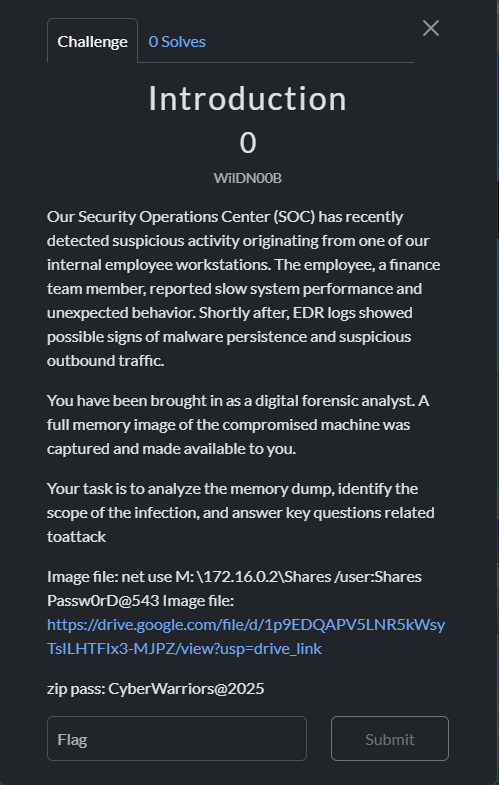
Stage 1 — Identify the Executable That Infected the Device#
Flag format: NCSC{Executable_Name}
Start by listing processes running at capture time using pslist:
python3 vol.py -f Nashme-APT.raw windows.pslist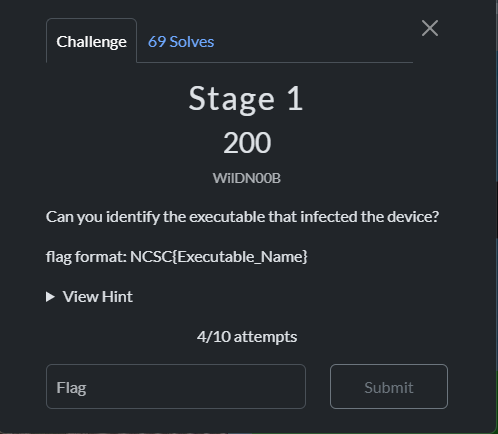
Suspicious finding: Zoom was spawned by cmd.exe. Legitimate Zoom runs under explorer.exe or ZoomInstaller.exe — not CMD.
Check the execution path#
python3 vol.py -f Nashme-APT.raw windows.cmdline --pid 12692
The path is abnormal. The legitimate Zoom client lives at:
C:\Users\<User>\AppData\Roaming\Zoom\bin\Zoom.exeDump and analyse the binary#
Get the virtual address via filescan:
python3 vol.py -f Nashme-APT.raw windows.filescan | grep "zoom.exe"
Dump the file:
sudo python3 vol.py -f Nashme-APT.raw -o sus_bin windows.dumpfiles
Upload to VirusTotal → Confirmed: AsyncRAT.

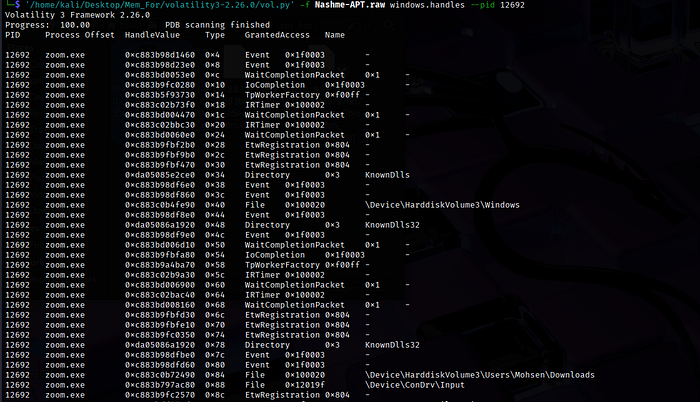
But did CMD really execute Zoom directly? In forensics, you need the full story — especially the initial access vector. Check handles for the RAT to find what it’s touching:
python3 vol.py -f Nashme-APT.raw windows.handles --pid 12692
The RAT has a handle open to the user’s Downloads directory. Scan that path:
python3 vol.py -f Nashme-APT.raw windows.filescan | grep "Downloads"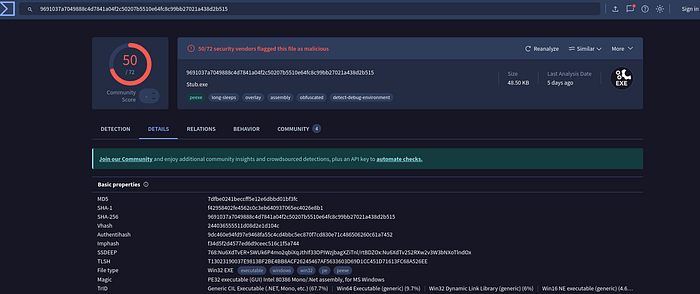
Finding: Zoom-Installer.exe in Downloads. This is the dropper. Dump it and upload to VirusTotal → Confirmed malicious.
Flag 1:
NCSC{Zoom-Installer.exe}
Stage 2 — Path of the Infection#
The RAT dropped itself to:
C:\Users\Mohsen\AppData\Roaming\Zoom.exeFlag 2:
NCSC{C:\Users\Mohsen\AppData\Roaming\Zoom.exe}
Stage 3 — Network Connection#
python3 vol.py -f Nashme-APT.raw windows.netstat
zoom.exe has an established connection to the C2 server.
Flag 3:
NCSC{192.168.0.100:8808}
Stage 4 — RAR File on Desktop#
While scanning the filesystem I noticed:
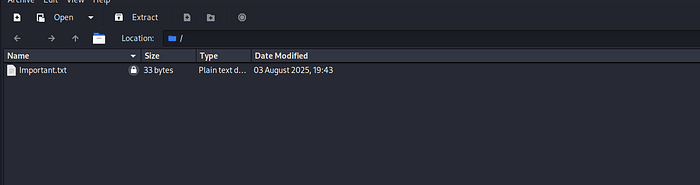
Users\Mohsen\Desktop\Important.rar
Dump the file and crack the password:
rar2john Important.rar > hash.txt
hashcat -m 13000 hash.txt /usr/share/wordlists/rockyou.txt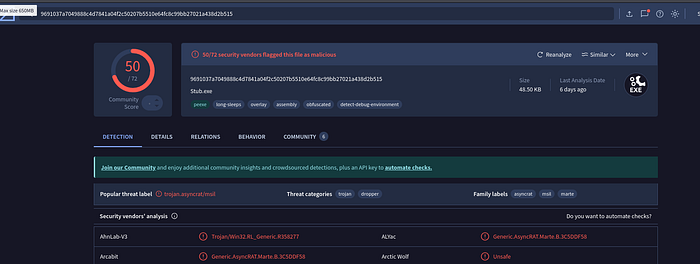
Password: Rat9030
Flag 4:
NCSC{R4T5_a43_4MaZ1nG_Cr34TuR3s!}
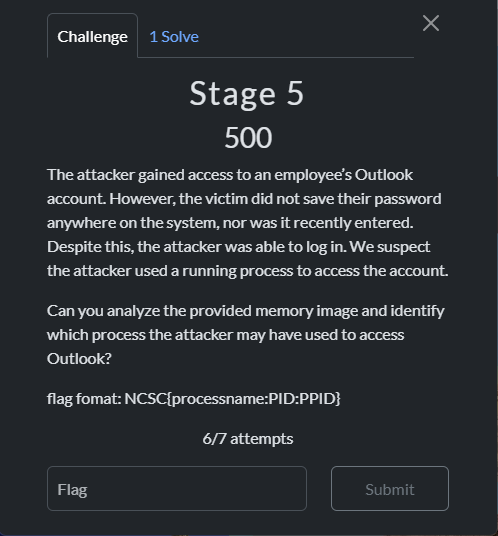
Stage 5 — Process Injection: olk.exe & host.exe#
Context#
olk.exe is the executable for the new Outlook app on Windows. The victim had no saved credentials on the system — so the attacker couldn’t steal a stored password. Instead, they hijacked an already authenticated session running inside olk.exe.
Classic technique:
- Inject into a running browser/mail client process
- Steal cookies or session tokens from memory
- No password needed — the session is already live
Investigation#
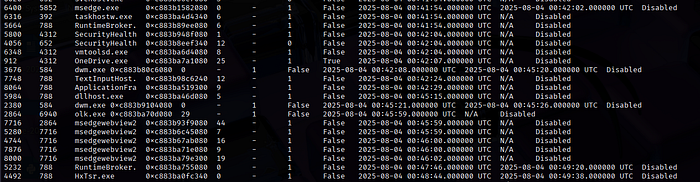
Step 1: Confirm olk.exe was running:
python3 vol.py -f Nashme-APT.raw windows.pslist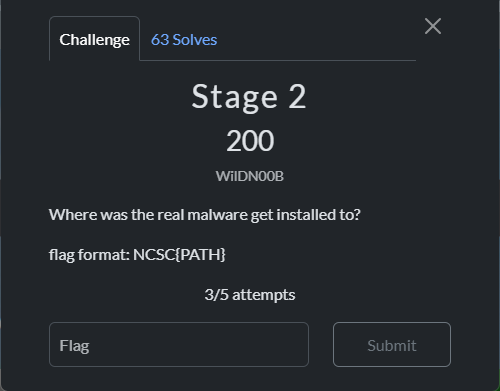
PID: 2864 PPID: 6940 olk.exeStep 2: Check the parent process (PPID 6940):
No process found. The parent had already exited before the memory capture — classic evasion.
Step 3: Check handles on olk.exe:
python3 vol.py -f Nashme-APT.raw windows.handles | grep olk.exe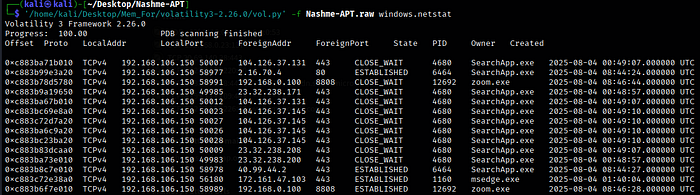
Everything seemed legitimate. Hit a wall — pivoted to MemProcFS:
MemProcFS.exe -device D:\Nashme-APT.raw -forensic 1
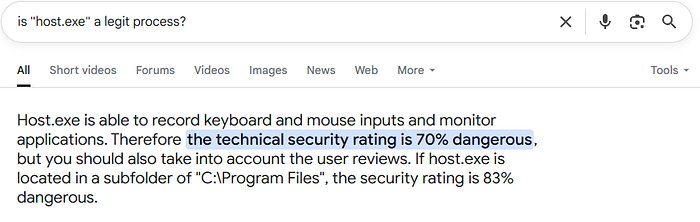
Reviewing the process list in MemProcFS, I spotted host.exe — initially overlooked. After research, host.exe is a known suspicious process. Checking its handles:
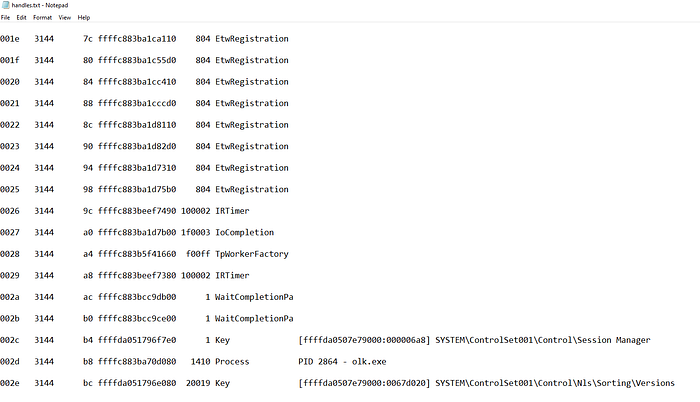
M:\name\host.exe-3144\handles\handles.txt
Result: host.exe (PID 3144) was reading memory from olk.exe (handle 8528).

Flag 5:
NCSC{host.exe:3144:8528}
Stage 6 — AsyncRAT Reverse Engineering#
Binary identification#
file zoom.exe
# zoom.exe: PE32 executable for MS Windows (GUI), Intel i386 Mono/.Net assembly
It’s a .NET assembly — use dnSpy to decompile.
Warning: This is real malware. Do not debug it on your main system.
InitializeClient() — C2 Connection Logic#

This function:
- Creates a TCP socket with 50KB buffers
- Randomly selects a host/port from the config (or fetches from Pastebin as a fallback C2)
- Wraps the connection in SSL/TLS with custom certificate validation
- Sends initial client info to the server
- Sets keepalive timers and begins asynchronous data read
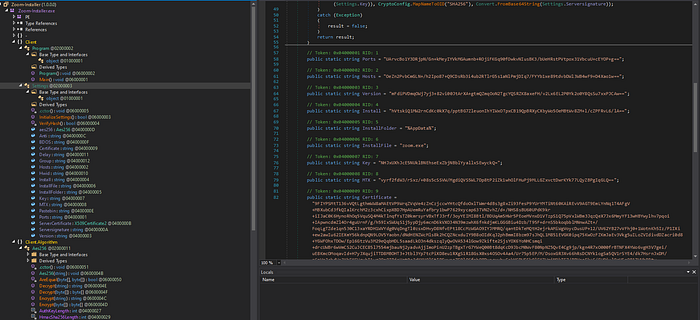
InitializeSettings() — AES-256 Config Decryption#

Key observations:
- All config fields are AES-256 encrypted, stored as base64 strings
VerifyHash()validates the decrypted key against the server’s RSA signatureInstallFolder = "%AppData%",InstallFile = "zoom.exe"— confirms persistence location- AES key (base64):
NHJxUXhJcE5NUklBNEhseExZbjNBblYyallxSEwyckQ=
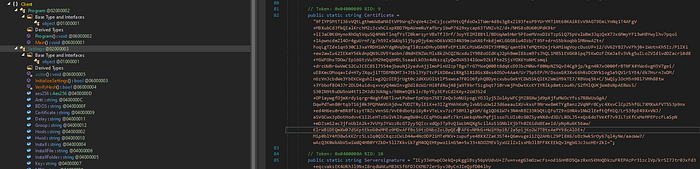
Decrypting the Certificate#
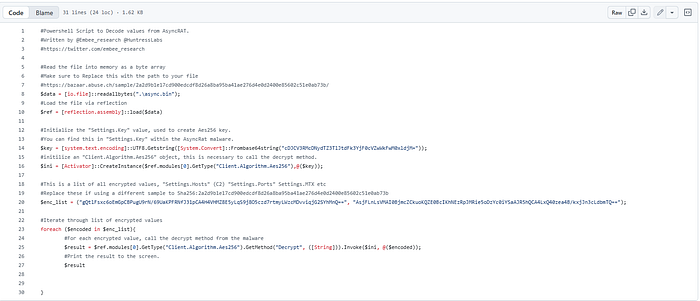
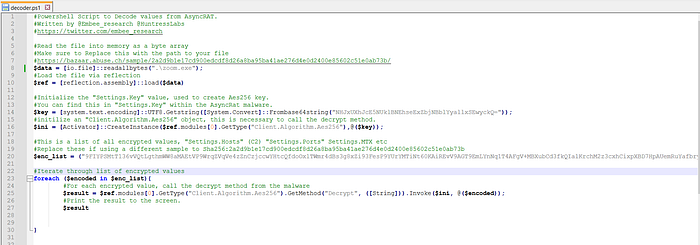
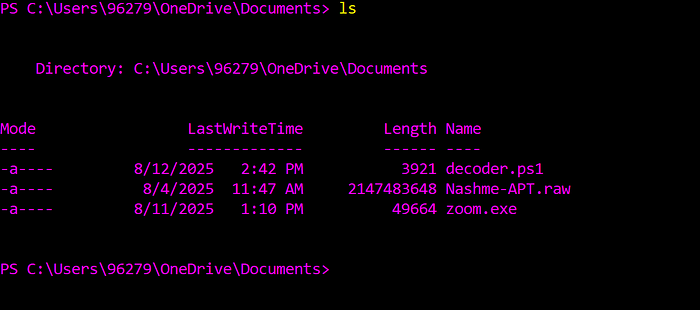
Used the AsyncRAT config decoder — modified by teammate Omar Hijah:
- Set
$key=NHJxUXhJcE5NUklBNEhseExZbjNBblYyallxSEwyckQ= - Set
$enc_list= the encrypted Certificate base64 string from the Settings class
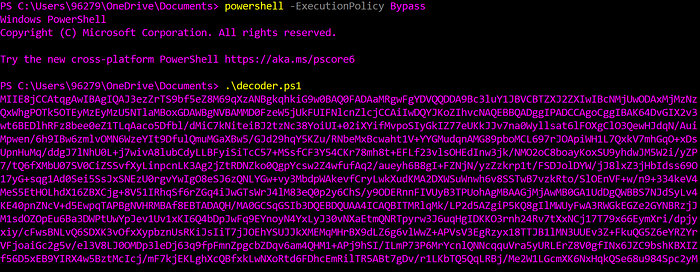
powershell -ExecutionPolicy Bypass
.\decoder.ps1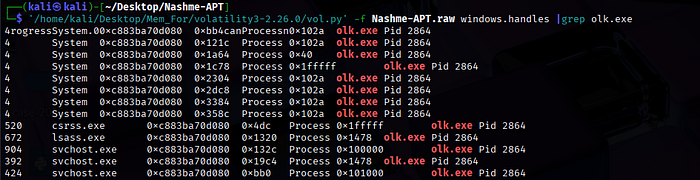


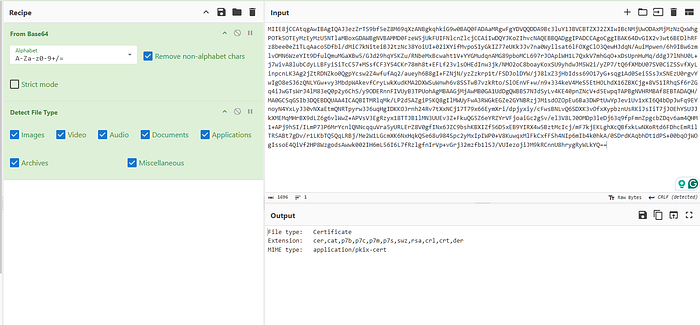
Decrypted output → base64 → CyberChef → decoded certificate:
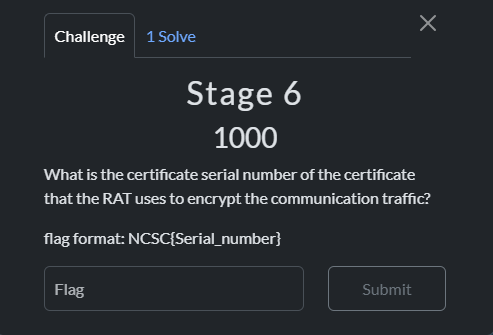
Extract certificate details:
openssl x509 -in download.cer -inform DER -text -noout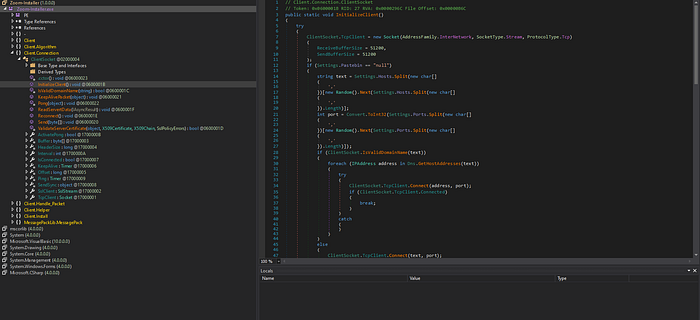
Certificate subject: AsyncRAT Server
Flag 6 (First Blood):
NSCS{9ddecd9ad34bd6dfe5e67c33af6a5f}
Attack Chain Summary#
Zoom-Installer.exe (dropper)
    └── drops zoom.exe (AsyncRAT) → C:\Users\Mohsen\AppData\Roaming\Zoom.exe
         ├── Spawned by cmd.exe from suspicious path
         ├── C2: 192.168.0.100:8808 (SSL/TLS, AES-256 encrypted config)
         ├── Downloads handle → confirms dropper origin
         └── host.exe (PID 3144) → injects into olk.exe (PID 2864, handle 8528)
              └── Session hijack of authenticated Outlook process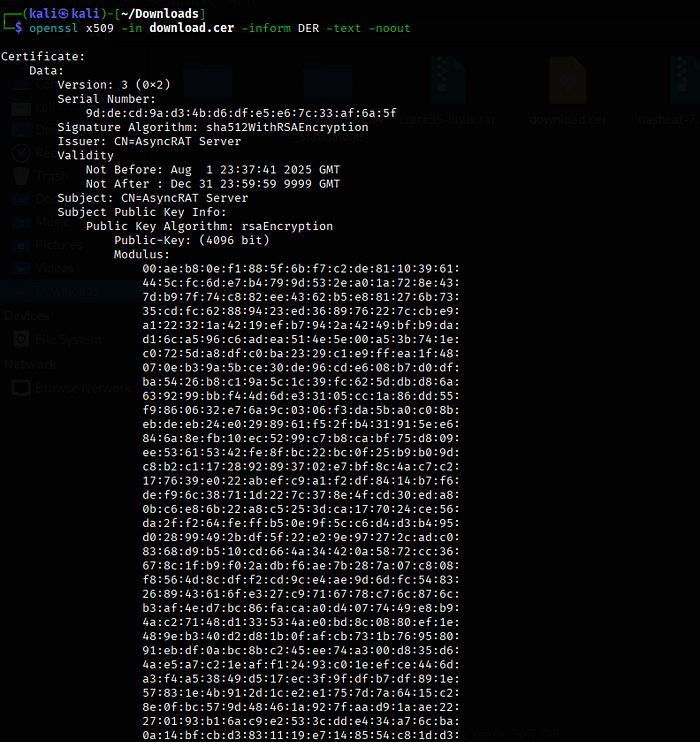
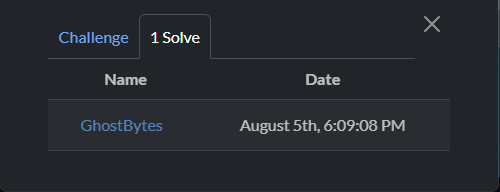
We were the only team that solved the entire chain.
IOC Summary#
| Indicator | Type | Note |
|---|---|---|
Zoom-Installer.exe | Filename | Initial dropper |
zoom.exe | Filename | AsyncRAT payload |
C:\Users\Mohsen\AppData\Roaming\Zoom.exe | Path | Persistence location |
192.168.0.100:8808 | IP:Port | AsyncRAT C2 |
host.exe (PID 3144) | Process | Injector process |
olk.exe (PID 2864) | Process | Injection target (Outlook) |
NHJxUXhJcE5NUklBNEhseExZbjNBblYyallxSEwyckQ= | AES Key | AsyncRAT config key |
Tools Used#
| Tool | Purpose |
|---|---|
| Volatility 3 | Memory analysis (pslist, cmdline, filescan, dumpfiles, netstat, handles) |
| MemProcFS | Alternative memory analysis — surfaced host.exe handles |
| VirusTotal | Binary reputation |
| dnSpy | .NET decompilation of AsyncRAT |
| rar2john + Hashcat | RAR password cracking (mode 13000) |
| AsyncRAT config decoder | AES-256 config decryption |
| CyberChef | Base64 certificate decode |
| OpenSSL | Certificate inspection |