
Challenge: 7 Oct#
Description#
We stormed one of the enemy’s concentration areas and after completing the operation, we took some devices to investigate and obtain intelligence. One device belongs to a leader. We believe information is being leaked through a spy. Search the device to find the spy and location details — the enemy was planning a prisoner recovery operation and location information had been leaked to them.
“Whoever goes out to hunt will be hunted.”
Required:
- Name of the spy
- Name of the region
- Street number
- How many floors does the building have?
Evidence#
After extracting the zip file, two items are present:
pcap.pcapng— network capture- Disk image from partition C
Step 1 — Network Analysis (Wireshark)#
Opening the PCAP, RTP (Real-Time Transport Protocol) traffic is immediately visible — the leader was making a call.
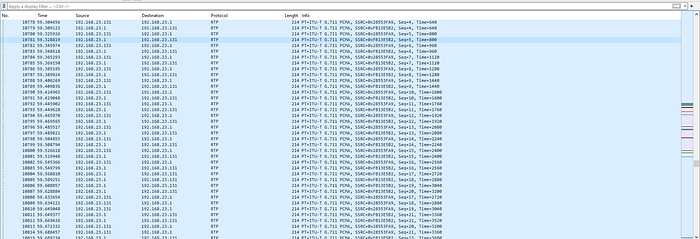
RTP provides end-to-end transport for real-time data (audio, video). It’s the protocol behind VoIP calls and audio streams.
Wireshark can reconstruct and play back RTP audio streams directly:
Telephony → RTP → RTP Streams
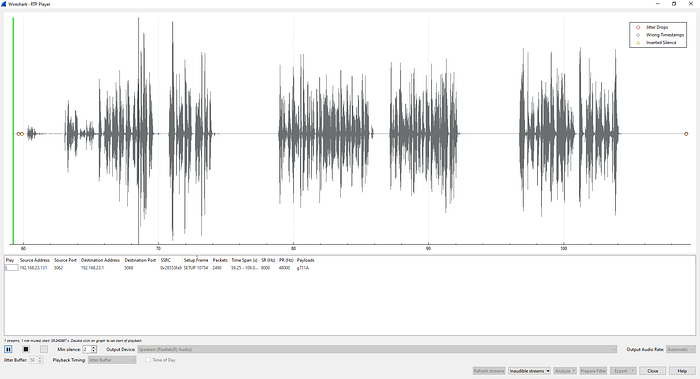
Listening to the audio reveals the leader discussing social media applications used to communicate. This tells us the communication channel — now we need to identify which app and extract the credentials.
Step 2 — Disk Image Analysis (Browser History)#
Mount the disk image and open the browser history file.
Table → URLs

The history shows a Facebook login search — the leader used Facebook to communicate with the spy. The browser used was Chrome.
Step 3 — Decrypt Chrome Passwords (DPAPI)#
Chrome encrypts saved passwords using Windows DPAPI. Decryption requires four steps.
3.1 — Find the Encryption Key#
The encryption key is stored in Chrome’s Local State JSON file:
C:\Users\<user>\AppData\Local\Google\Chrome\User Data\Local StateSearch for encrypted_key.
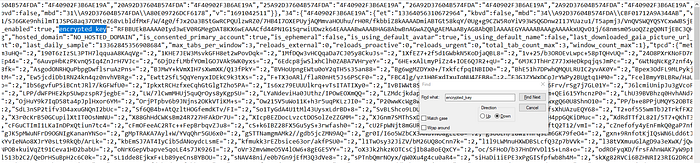
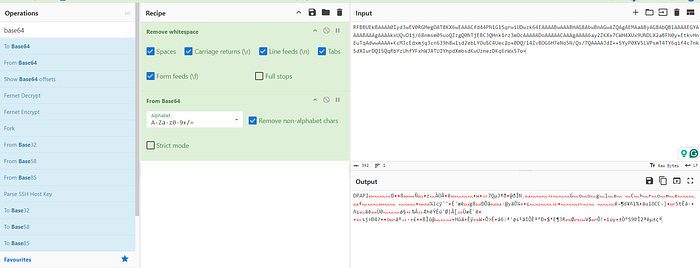
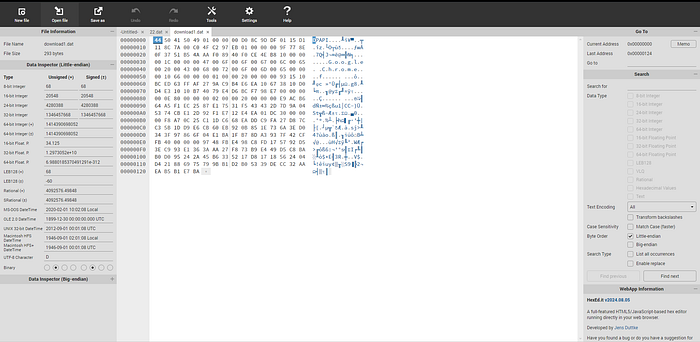
Extract the key value and save it as download1.dat. Open it in a hex editor and remove the first 5 bytes (the DPAPI prefix):
3.2 — Extract the Master Key#
First, dump the SAM and SYSTEM hives from the disk image to extract the user’s password hash:
secretsdump.py -sam SAM -system SYSTEM LOCAL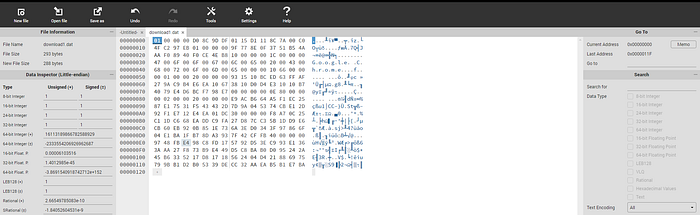
Crack the hash at crackstation.net.
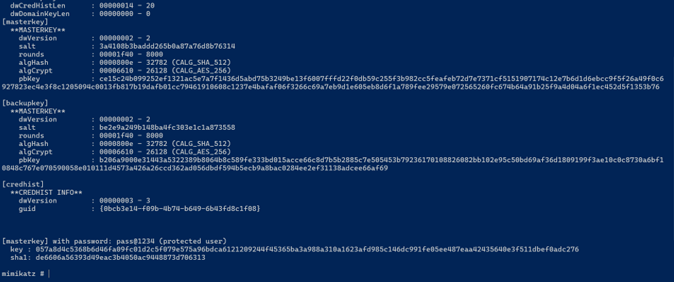
Now use Mimikatz to retrieve the DPAPI Master Key using the user’s SID, password, and master key GUID:
dpapi::masterkey /in:<masterkey_file> /sid:<user_SID> /password:<cracked_password>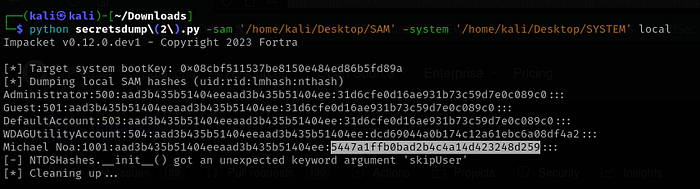
3.3 — Decrypt the Chrome Key#
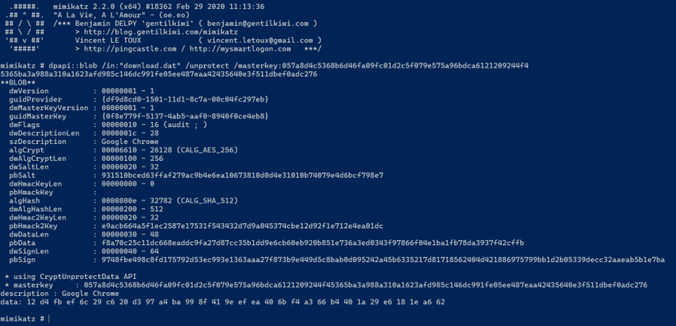
Use Mimikatz’s dpapi module to decrypt the encrypted blob from download1.dat:
dpapi::blob /in:download1.dat /masterkey:<masterkey>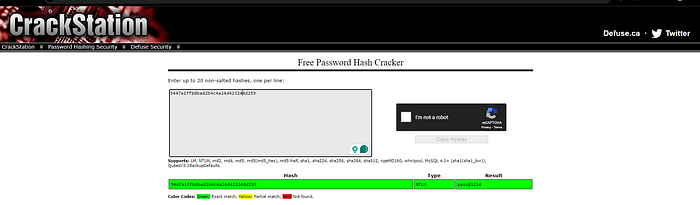
3.4 — Extract and Decrypt Saved Passwords#
Chrome’s encrypted passwords are stored in an SQLite database:
C:\Users\<user>\AppData\Local\Google\Chrome\User Data\Default\Login DataExtract with Python and decrypt using the recovered key:
Step 4 — Facebook Account Access#
With the decrypted credentials, log into the Facebook account to retrieve the conversation with the spy.

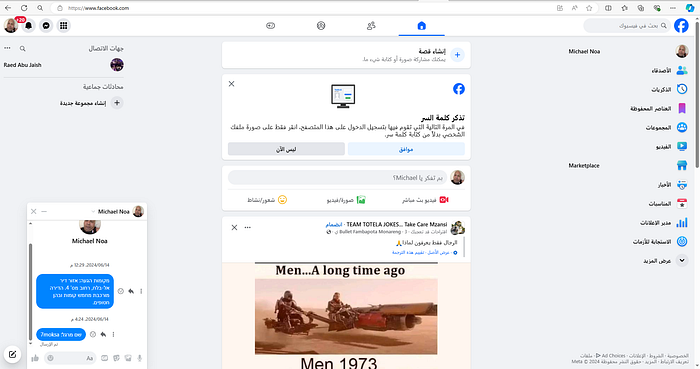
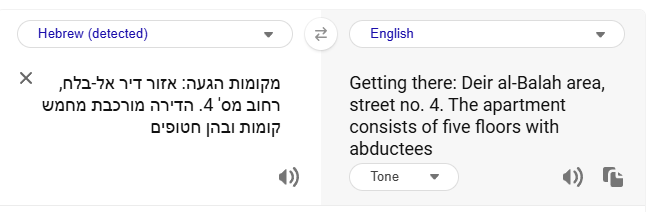
The conversation contains all four required answers — spy name, region, street number, and building floor count.
Methodology Summary#
| Step | Action | Tool |
|---|---|---|
| Network analysis | Reconstruct RTP audio stream | Wireshark |
| Browser history | Identify communication platform (Facebook) | Disk image |
| Credential extraction | Dump SAM/SYSTEM, crack hash | secretsdump.py, CrackStation |
| DPAPI decryption | Recover Chrome master key | Mimikatz |
| Password decryption | Decrypt Chrome SQLite passwords | Python + AES |
| Intelligence retrieval | Access Facebook messages | Browser |